meshtool
Interactive tool for removing grid-like mesh artifacts from fixed mode ARPES data.
The GUI can be invoked with erlab.interactive.meshtool():
import erlab.interactive as eri

eri.meshtool(data)
It can also be opened from the ImageTool View menu with .
The %meshtool magic (see Notebook shortcuts) provides a quick way to launch it from IPython.
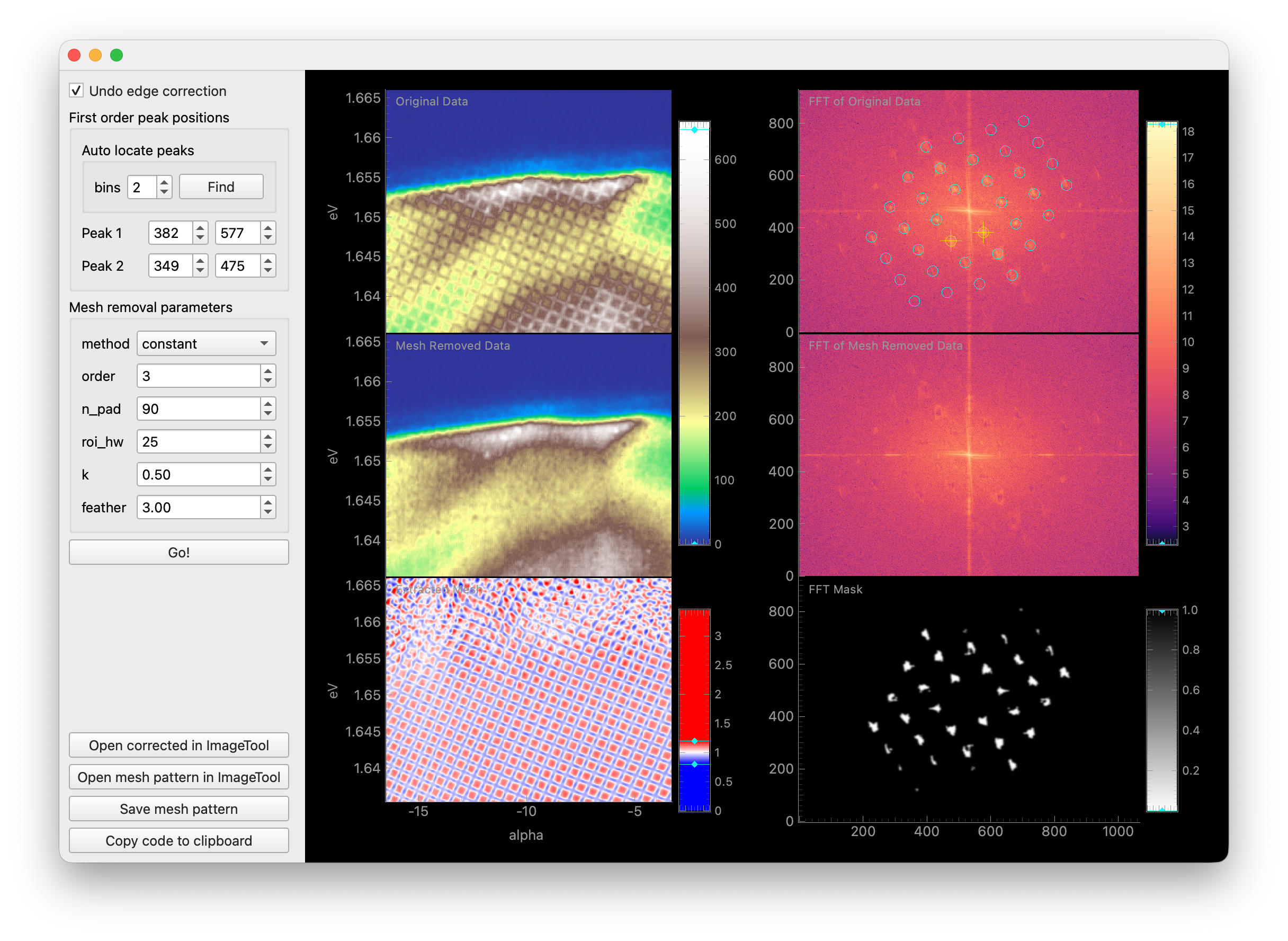
This tool accepts any DataArray with eV and alpha dimensions. When additional dimensions are present, the data will be averaged over those dimensions to detect the mesh pattern. meshtool then applies the detected mesh parameters to the full input DataArray.
The first checkbox enables/disables undoing of software edge correction for straight analyzer slits that some analyzers apply automatically (currently only tested with Scienta DA30L).
In the next section, you must specify the location of the first order mesh peaks in the FFT of the data.
Drag the two yellow targets on the FFT plot over the two first order mesh peaks by dragging them with the mouse.
Alternatively, an automatic search can be performed by clicking Find under Auto locate peaks.
In the final section, several parameters for mesh removal are provided. For more information on these parameters, see the documentation for
erlab.analysis.mesh.remove_mesh(). You may have to experiment with these parameters to achieve optimal results for your dataset.Once you are satisfied with the parameters, click Go! to perform mesh removal.
If you open the corrected data in ImageTool from a meshtool that was opened from an
ImageTool in the manager, the new ImageTool window is kept as a child row under
meshtool in the manager tree. The manager side panel can then show the data in the
ImageTool that opened meshtool and the code for repeating the mesh-removal steps.
Note
Mesh removal is currently experimental and may not work well for all datasets, and may introduce unwanted artifacts. Please use with caution and verify the results carefully.